I have purchased a ‘Home Automation Stackable HAT’ and a ‘Sixteen LV Input HAT’ and I have a question before I get started setting things up. I plan on using the hats connected to a single raspberry pie with node-red and mqtt.
The configuration I would like to use is as follows. I would like to stack the home automation hat on the pie and mount the 16 input hat a few feet away. This config would work better with the existing wiring/enclosures I have. I may add a few more remote boards in the future so maybe this is a consideration.
Assuming this works, what are my options for connecting the two boards?
You can connect the 16-INPUT HAT to the Home Auto using the RS485 port. Set the switches on the 16-IN to the local processor (no Pi present) and on the Home Auto to the Raspberri Pi. You can read the switches using MODBUS. I do not know software but I know it can be done.
Thanks for the reply. I will play with the modbus connection and see if I can get it to work.
The example use Python but is easy replaceable with Node-RED.
alexburcea said:
Thank you, I will read thru this.
I did get this configuration working using the blog post as a starting point. I thought I would post a few notes that might be helpful to someone if they are looking for the same set up.
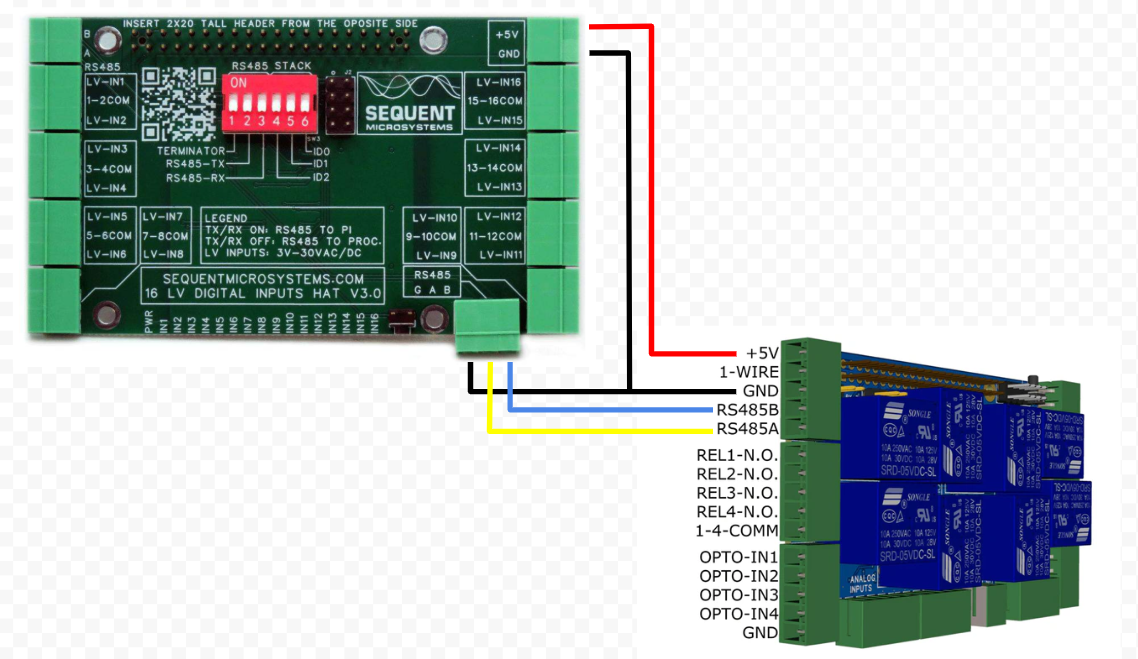
1.Wire the rs-485 ports A-A, B-B and Grnd to Grnd.
2. I struggled a bit until
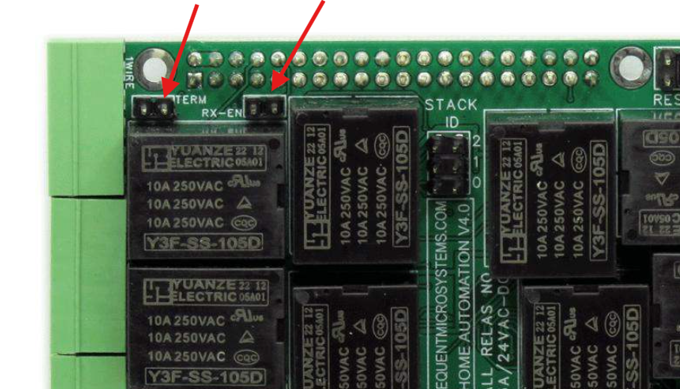
I discovered that you need RX-EN and TERM jumpers to make the rs-485 port on the home auto hat operational
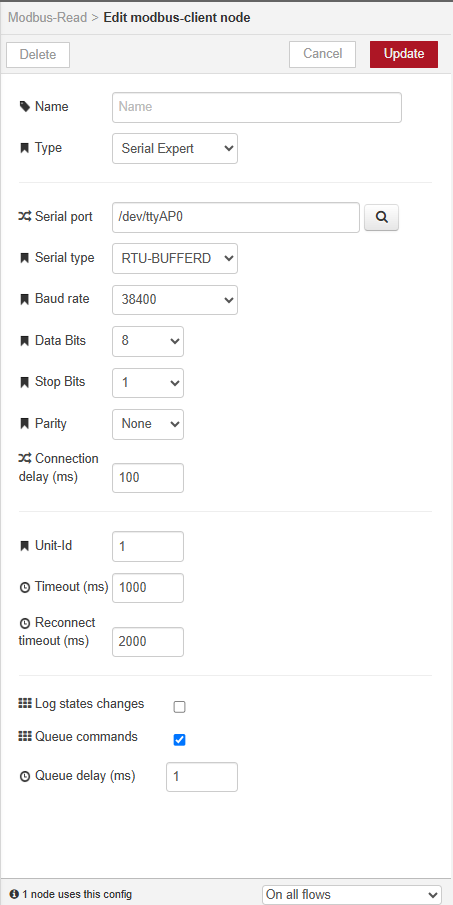
3. Port setting on the 16 LV input card are 38400/8/N/1
4. Enable the serial port on the ras pi, (no serial console)
5. I installed the node-red-contrib-modbus nodes
6. The dip switches on the LV card are all set to off. (not sure if the terminator switch should be on)
Here is my modbus client node set up
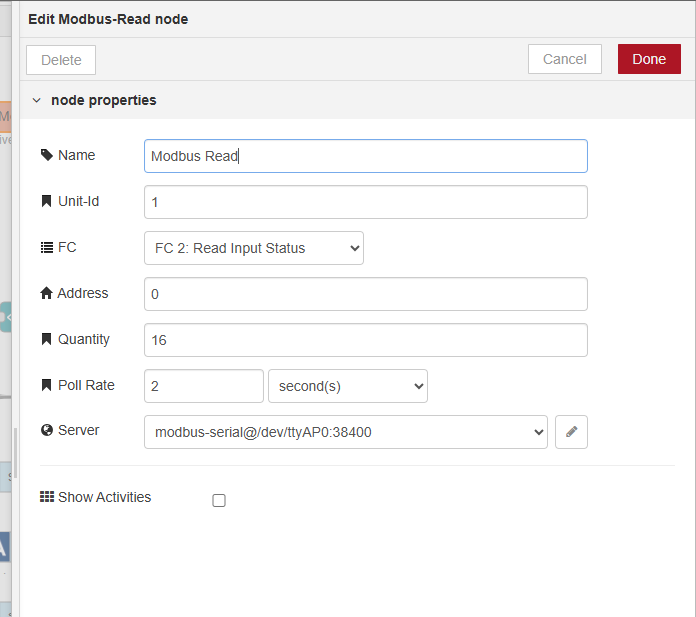
Here is the modbus read node set up.
right now I just have on lv input card unit id 1
This is how I connected the hats.
I could not get the rs-485 port working until I installed jumpers in these two spots..
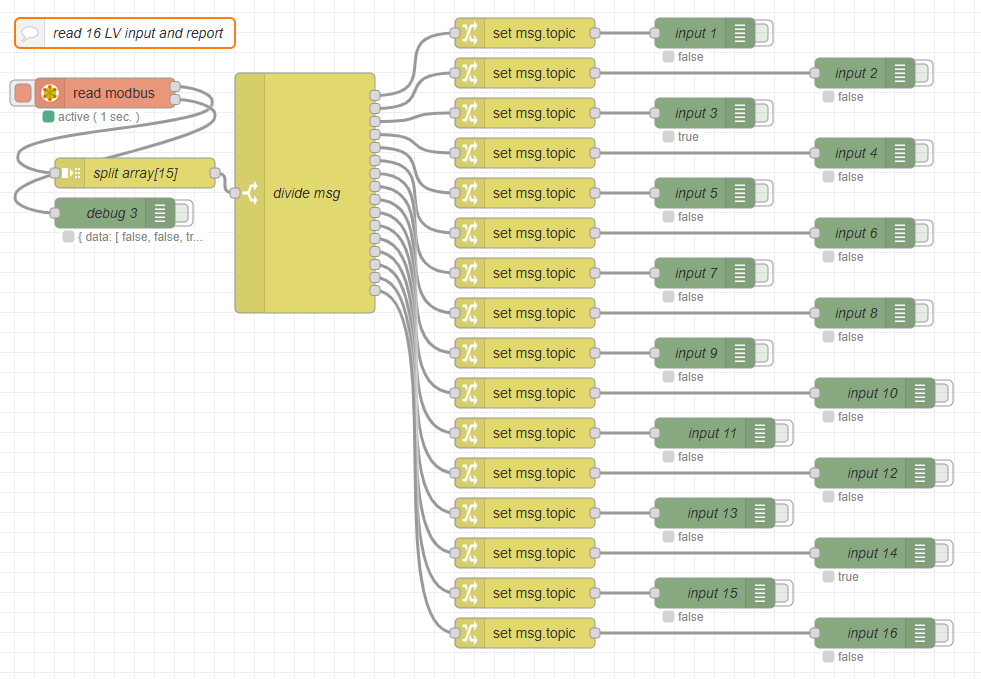
AND here is the flow that I am using to read and separate the inputs. An export of the flow is attached as a txt file.
Hi,
Thank you for sharing.