



Eight Serial Ports HAT 2-Layer Stackable for Raspberry Pi
Three RS232, one RS485, one RS422, one CAN, one 1-Wire and one M-BUS; Status LEDs, Hardware Watchdog.
Overview
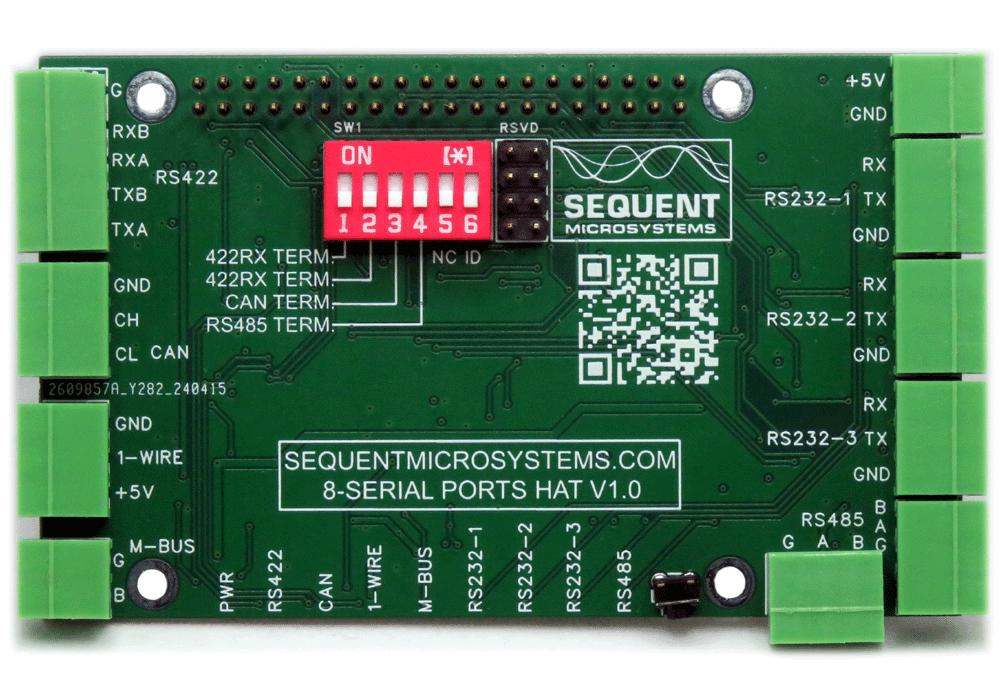
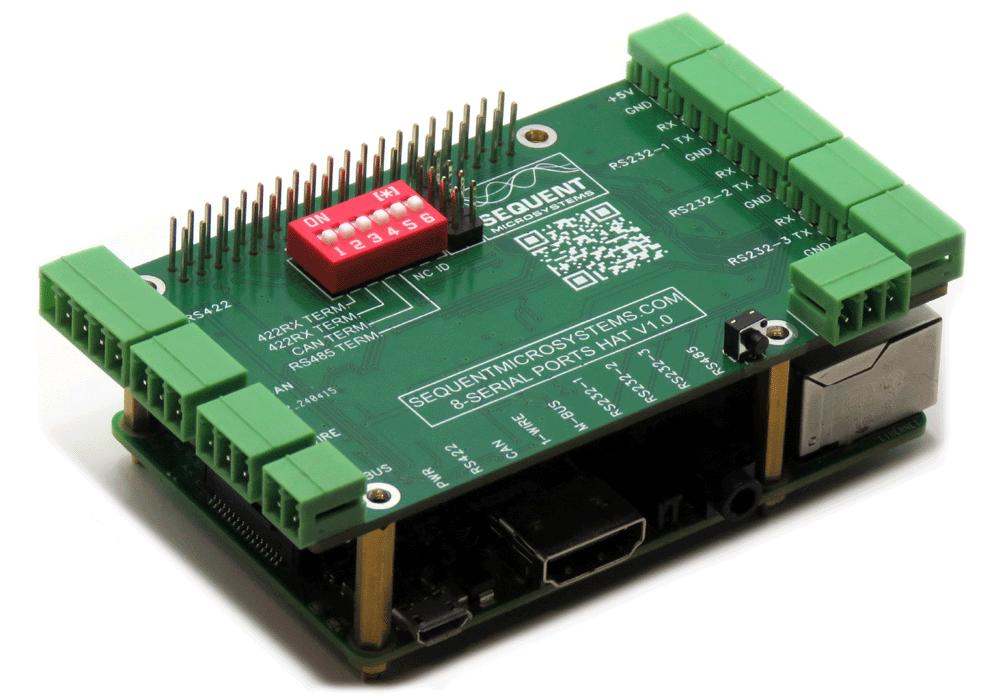
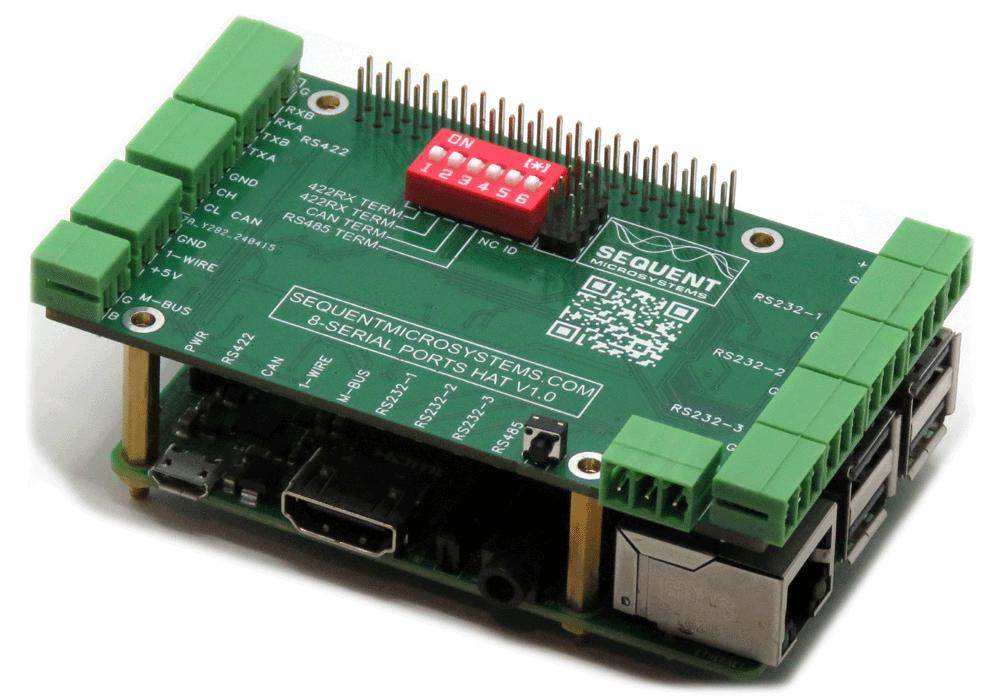
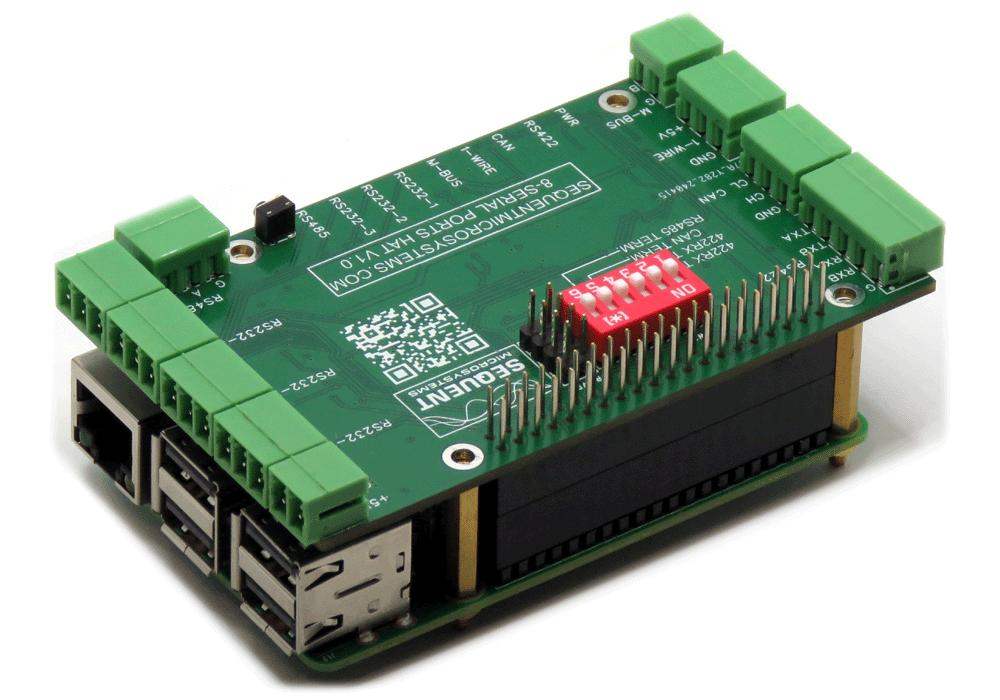
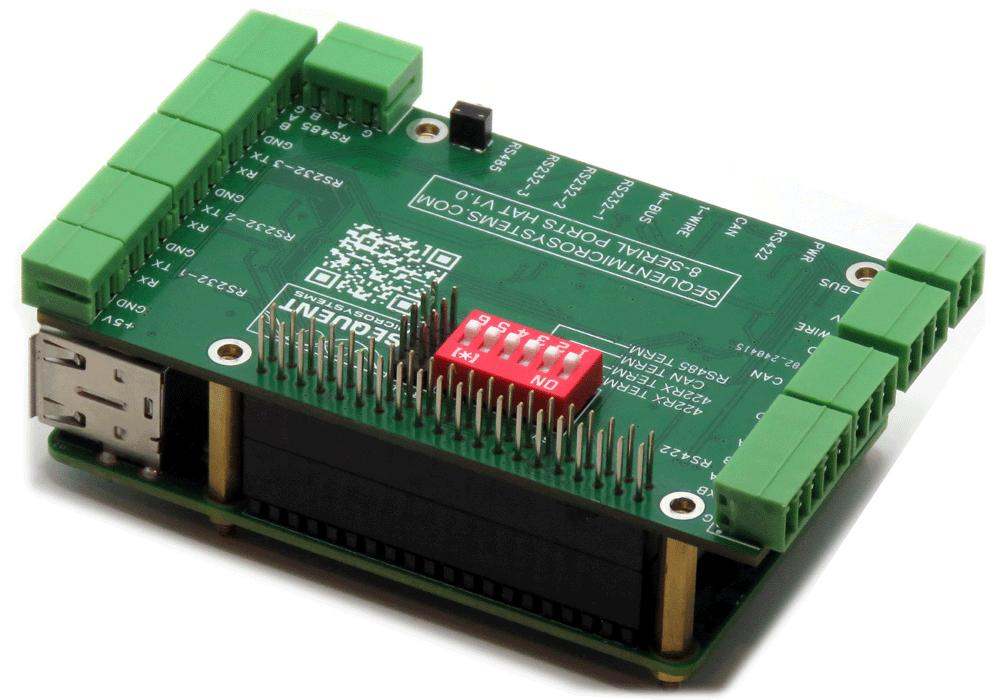
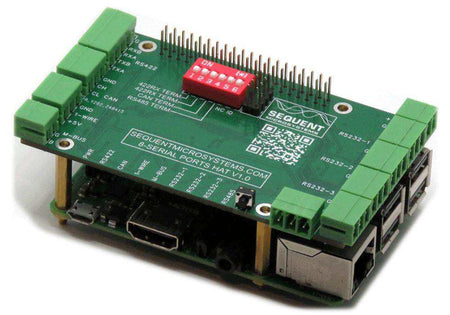
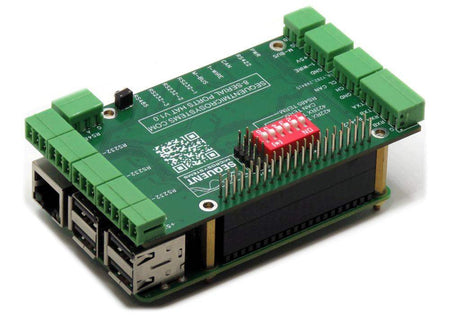
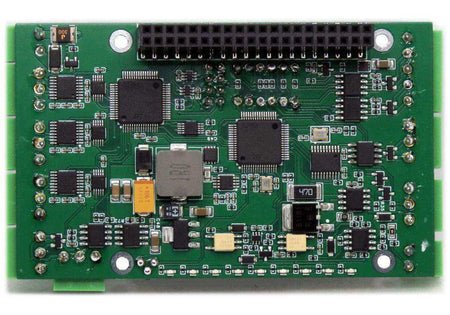
Serial communication hardware for Raspberry Pi that adds a complete set of industrial interfaces on a single, compact HAT. The Eight Serial Ports HAT uses the four onboard UART-capable pins of the Raspberry Pi GPIO header, plus eight additional ports generated by two 32-bit ARM Cortex processors, to implement three RS232 ports, one RS485 port, one RS422 port, one CAN port, one 1-Wire port, and one M-BUS port.
- Three RS232, one RS485, one RS422, one CAN, one 1-Wire, and one M-BUS port on a single board
- RS232, RS485, RS422, M-BUS, and CAN ports use standard Linux kernel drivers — no additional software required
- Selectable termination on the RS485, RS422, and CAN ports via the onboard DIP switch
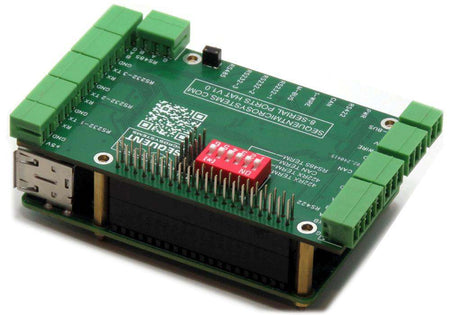
- Two Level Stackable, for up to 16 serial ports on one Raspberry Pi
- On board hardware watchdog and reset pushbutton
- Status LED indicator on each serial port and power
- Compatible with all Raspberry Pi versions from 3 to 5
- ECCN Code EAR99
INTERFACES AND I/O
| I/O's | Communication | Software Integration |
|---|---|---|
| • Three RS232 Ports | • I2C Port to Raspberry Pi | • Command Line |
| • One RS485 Port with selectable termination | • SPI Port to Raspberry Pi | |
| • One RS422 Port with selectable termination | ||
| • One CAN Port with selectable termination | ||
| • One 1-Wire Port | ||
| • One M-BUS Port | ||
| Other Features | ||
| • Two Layer Stackable | ||
| • No additional software required for RS232, RS485, RS422, M-BUS, and CAN ports (drivers included in the Linux kernel) | ||
| • On Board Hardware Watchdog | • Reset Pushbutton | |
| • Status LED indicators on each serial port and power | • ECCN Code EAR99 | |
DESCRIPTION
The Eight Serial Ports HAT gives Raspberry Pi a complete set of industrial serial interfaces on a single, compact, stackable board.
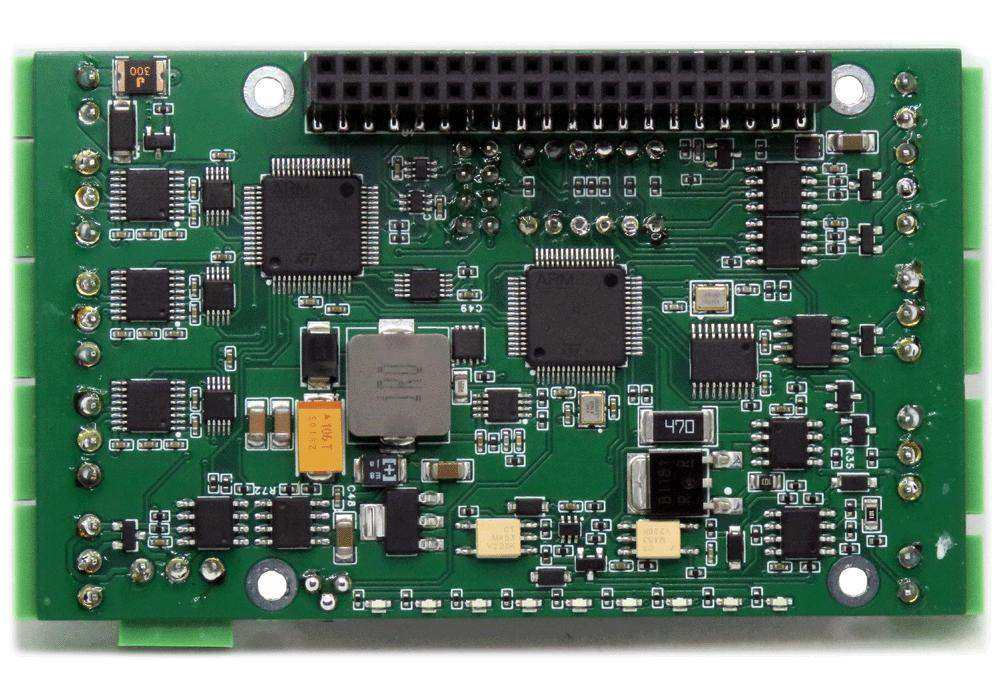
The latest Raspberry Pi models expose up to four UART-capable ports on the GPIO header, but none of them work without a physical layer transceiver. The Eight Serial Ports HAT uses all four of these ports, plus eight additional ports generated by two 32-bit ARM Cortex processors, to implement all the common serial interfaces in use today. The two processors communicate with the Raspberry Pi over I2C, with the hardware address selected by the onboard DIP switch. A status LED next to each port lights up when that port is active.
Three RS232 ports are exposed directly by the Linux kernel's serial driver as /dev/ttySC0, /dev/ttySC2, and /dev/ttySC3, supporting speeds up to 230,400 bps with no extra software once the device tree overlay is loaded.
One RS485 port, exposed as /dev/ttySC1, supports speeds up to 921,600 bps. A DIP switch enables onboard termination when the card is the last device on an RS485 chain.
One RS422 port, exposed as /dev/ttySC5, with independent DIP-switch-selectable termination on its receive and transmit pairs.
One CAN port, implemented with an onboard MCP2515 controller wired directly to the Raspberry Pi's SPI bus and exposed as the standard Linux SocketCAN interface can0. A DIP switch enables onboard bus termination.
One 1-Wire port connects DS18B20 digital temperature sensors, accessed through the 8serial command line with dedicated scan, ID-read, and temperature-read commands.
One M-BUS port, exposed as /dev/ttySC4 through the same kernel serial driver as the RS232 and RS485 ports.
A reset pushbutton at the board edge can be read from the 8serial command line, giving the Raspberry Pi a way to trigger a clean shutdown without a monitor, keyboard, or mouse.
The hardware watchdog automatically power-cycles the Raspberry Pi if the software becomes unresponsive, ensuring continuous operation in unattended deployments.
TECHNICAL DETAILS
CARD LAYOUT

MECHANICAL SPECIFICATIONS
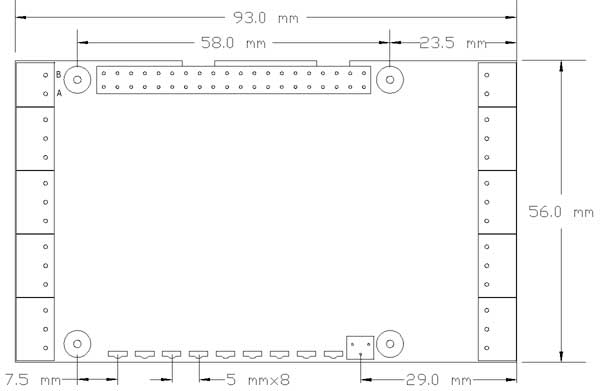
DIP SWITCH AND STACKING
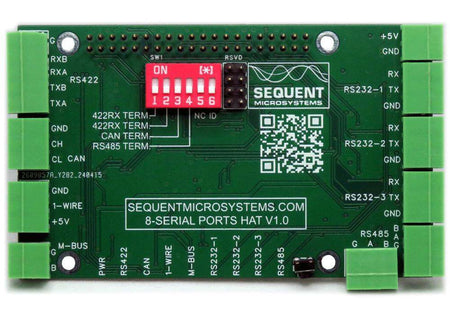
The onboard DIP switch sets the card's stack address and configures termination on the RS485, RS422, and CAN ports.
| Switch | Name | Function |
|---|---|---|
| ID | Stack ID | Selects stack address 0 or 1 — up to two Eight Serial Ports HATs can be stacked on one Raspberry Pi |
| RS485 TERM | RS485 termination | Enable on the last card in an RS485 chain to prevent signal reflections |
| 422RX TERM | RS422 receive termination | Enable termination on the RS422 receive pair |
| 422TX TERM | RS422 transmit termination | Enable termination on the RS422 transmit pair |
| CAN TERM | CAN termination | Enable termination on the CAN bus |
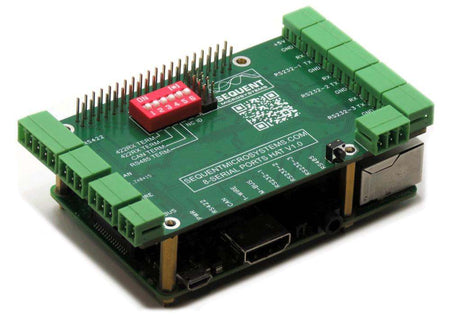
Two Eight Serial Ports HATs can be stacked on one Raspberry Pi for a total of 16 serial ports. However, the Linux kernel exposes at most 8 ttySCx devices at a time, so not all 16 UART ports generated by two stacked cards can be used simultaneously through the standard kernel driver — the remaining ports require a custom driver.
ELECTRICAL SPECIFICATIONS
| Power | |
|---|---|
| Power supply | External 5V power supply |
| Power consumption | Less than 100 mA @ 5V |
| Power delivered to Raspberry Pi | Up to 3.5 A @ 5V, through the hardware watchdog |
| RS232 Ports | |
|---|---|
| Maximum baud rate | 230,400 bps |
| RS485 Port | |
|---|---|
| Maximum baud rate | 921,600 bps |
POWER REQUIREMENTS
Power supply: The card requires an external 5V power supply. It draws less than 100mA and delivers up to 3.5A at 5V to the Raspberry Pi through the onboard hardware watchdog, eliminating the need for a separate Raspberry Pi power supply.
COMMUNICATION INTERFACES
HARDWARE WATCHDOG
The Eight Serial Ports HAT includes a hardware watchdog that ensures your system automatically recovers if the Raspberry Pi software becomes unresponsive. The watchdog is disabled at power-up and activates after it receives the first reset command from the Raspberry Pi.
| Watchdog Parameters | |
|---|---|
| Initial timeout period | Configurable — allows time for Raspberry Pi to boot and start the application |
| Running timeout period | Configurable — normal operating timeout |
| Off period | Configurable — duration the Raspberry Pi power is cut when timeout triggers |
| Reset counter | Stored in non-volatile flash; can be read or cleared at any time |
For a full list of watchdog commands, run: 8serial -h
COMPATIBILITY
| Interface | I2C, SPI |
| GPIO used | GPIO2 (SDA), GPIO3 (SCL) for I2C; SPI0 bus for the CAN controller; plus interrupt pins GPIO22, GPIO19, GPIO20 (stack ID 0) or GPIO24, GPIO21, GPIO26 (stack ID 1), and GPIO6 or GPIO16 for the CAN interrupt |
| Max stack | Two cards (16 physical serial ports; the Linux kernel driver exposes at most 8 ttySCx devices at a time) |
| Compatible with | Raspberry Pi versions from 3 to 5 (requires the four UART-capable pins on the 40-pin GPIO header) |
FIRMWARE UPDATE
The Eight Serial Ports HAT contains two onboard microcontrollers, both of which can be updated in the field. The update tool downloads the latest firmware from Sequent Microsystems' servers and flashes it to the board over I2C.
Running the Update
~$ cd ~/8serial-rpi/update/
~/8serial-rpi/update$ ./update <id> 1 — updates the first onboard CPU
~/8serial-rpi/update$ ./update <id> 2 — updates the second onboard CPU
Replace <id> with the board stack address (0-1). Full instructions including recovery procedures are available at:
https://github.com/SequentMicrosystems/8serial-rpi/tree/main/update/README.md
DOWNLOADS
| User's Guide (PDF) | Schematics (PDF) | CAD | Software & Integrations |
|---|---|---|---|
| Schematic V1 | 3D STEP Model | Command Line |
WHAT'S INCLUDED
When you purchase the card you will receive the following items:
| 1. Eight Serial Ports HAT for Raspberry Pi |
|---|
 |
| 2. Mounting Hardware | |
|---|---|
 |
|
| 3. Connector Plugs | |
|---|---|
 |
|
QUICK START
- Plug your card on top of your Raspberry Pi and power up the system.
- Enable I2C communication on Raspberry Pi using
raspi-config. - Edit
/boot/config.txt(or/boot/firmware/config.txton newer Raspbians), adding thedtoverlaylines for the card's stack ID, as documented in the README. - Reboot, then run
ls /devto confirm the ttySCx serial ports are present, anddmesg | grep can0to confirm the CAN port is up. - To use the hardware watchdog, 1-Wire bus, and reset pushbutton, install the 8serial command line from GitHub:
~$ git clone https://github.com/SequentMicrosystems/8serial-rpi.git~$ cd /home/pi/8serial-rpi~/8serial-rpi$ sudo make install~/8serial-rpi$ 8serial -h
The program will respond with a list of available commands. To read more about the cli, please refer to the README file.
Expand Your System
-
 In stock
DIN-RAIL Kit Type2 Perpendicular Mount for Raspberry Pi
Install Raspberry Pi and any number of HATs perpendicular to the DIN-Rail; One kit for up to 5 HATs. -
 In stock
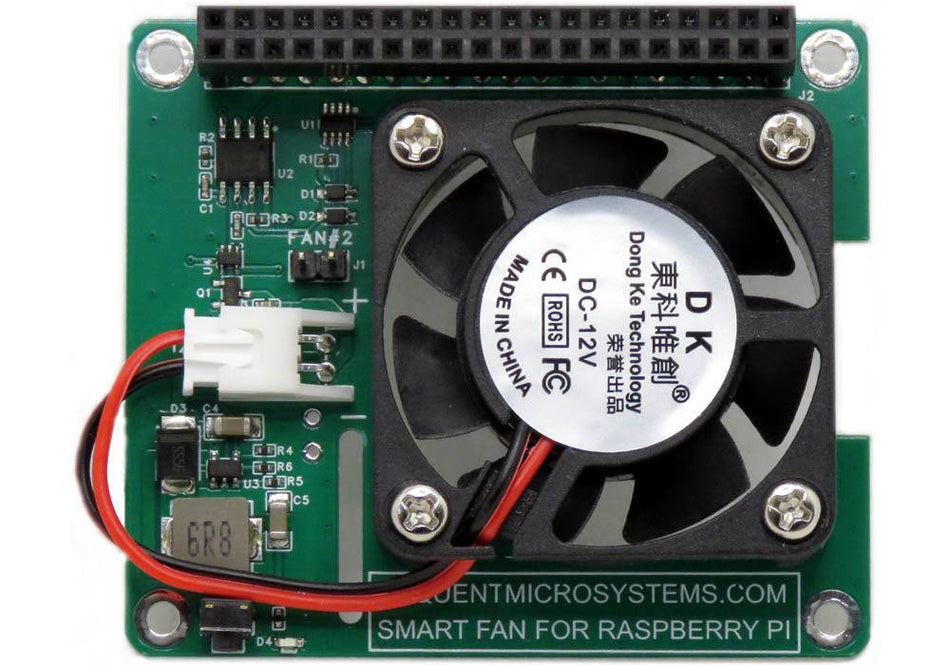
Smart Fan HAT the Best Cooling Solution for Raspberry Pi
PWM controlled 40x40x10mm Fan keeps Raspberry Pi temperature constant; Stackable with any other HAT. -
 In stock
DIN-RAIL Kit Type1 Parallel Mount for Raspberry Pi
Install Raspberry Pi and multiple HATs parallel on the DIN-Rail; 90% rotation; Raspberry Pi 1 to 5. -
 In stock
Super Watchdog HAT with UPS Battery Backup for Raspberry Pi
Industrial-grade watchdog and UPS backup to keep your Raspberry Pi running safely.


