
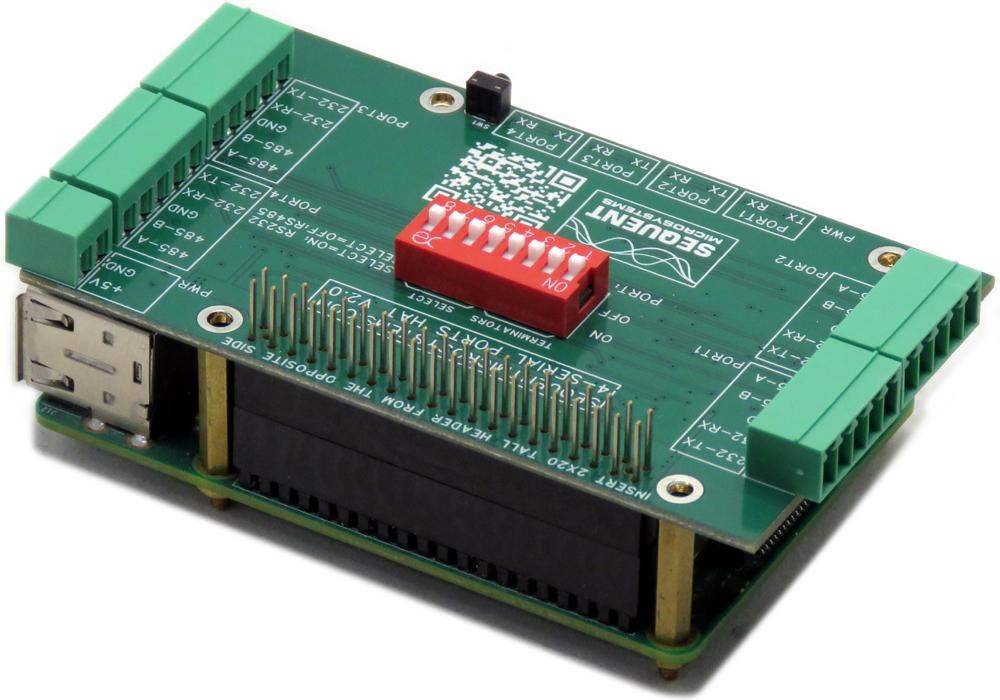
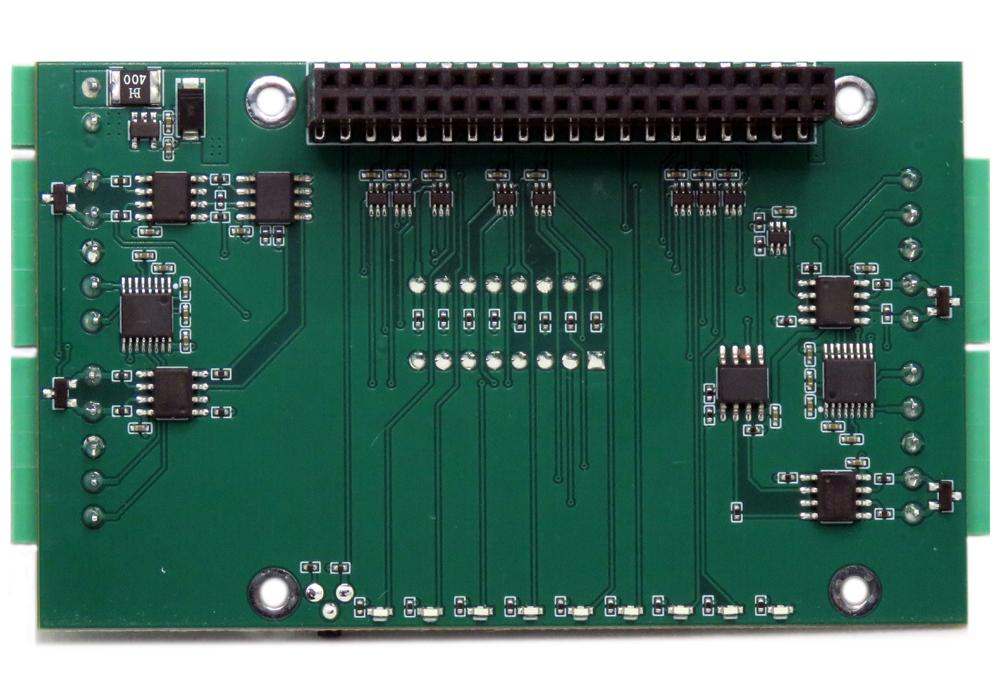

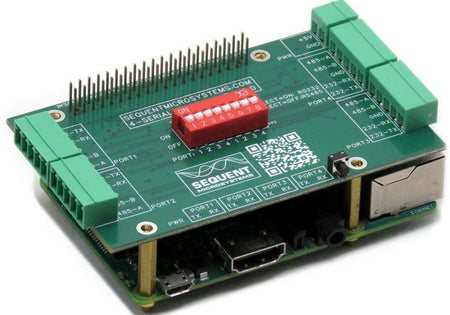

Four Serial Ports RS485 and RS232 Stackable HAT for Raspberry Pi
Four serial ports confugurable as RS232 or RS485 from DIP switches. Non-stackable
Overview
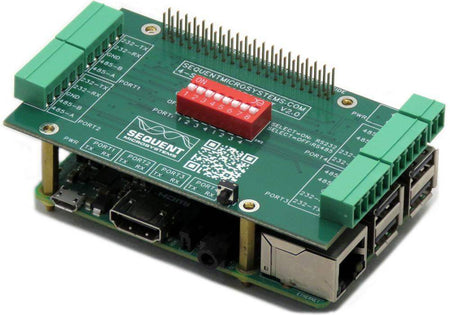
Serial communication HAT for Raspberry Pi that turns the board's four native UART-capable GPIO pins into four independent serial ports, each individually selectable as RS-232 or RS-485. Version 2 adds per-port selection and on-board RS485 terminators via DIP switch, no jumpers required.
- Four serial ports, each individually configurable as RS-232 or RS-485
- Per-port mode selection via DIP switches
- On-board RS485 terminators selectable per port — no jumpers required
- Uses the native serial ports on the Raspberry Pi GPIO interface — no I2C, no custom software
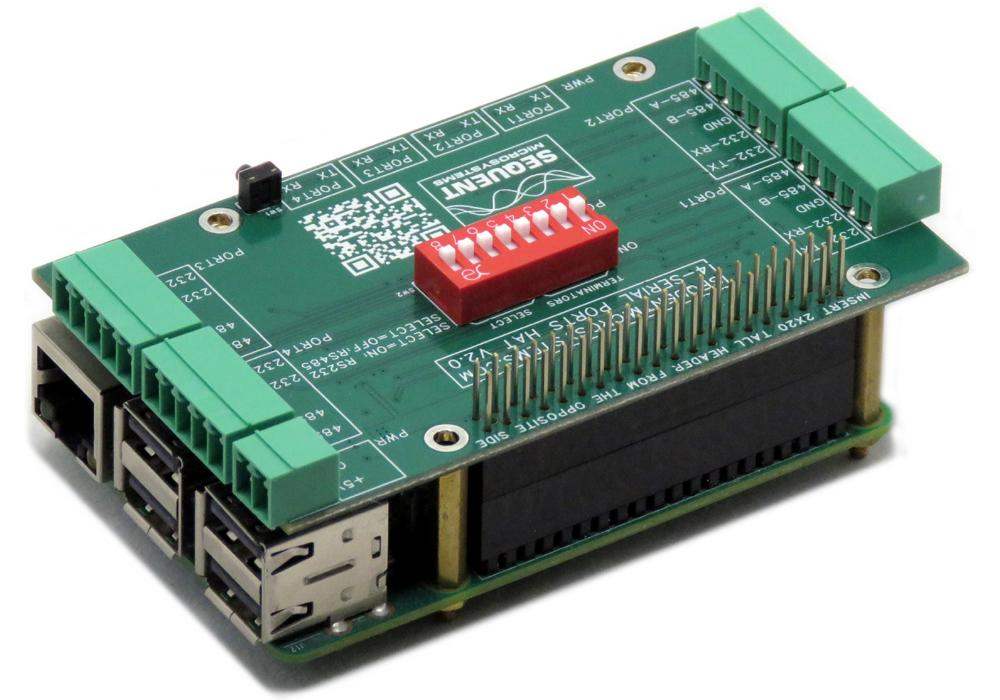
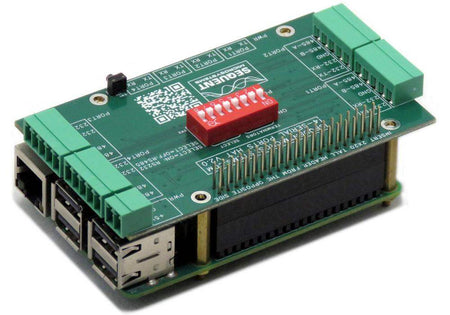
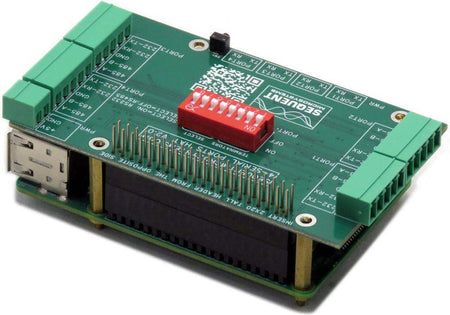
- Extra-tall 2×20 male-female connector — stackable on top of any HAT, or under any HAT
- Compatible with all Raspberry Pi models from Zero through Raspberry Pi 5 (older models: PORT4 only)
- No additional software required — drivers are included in the Linux kernel
- ECCN Code EAR99
- CE Certified
- Ambient operating temperature: -40°C to 85°C
INTERFACES AND I/O
| I/O's | Communication | Software Integration |
|---|---|---|
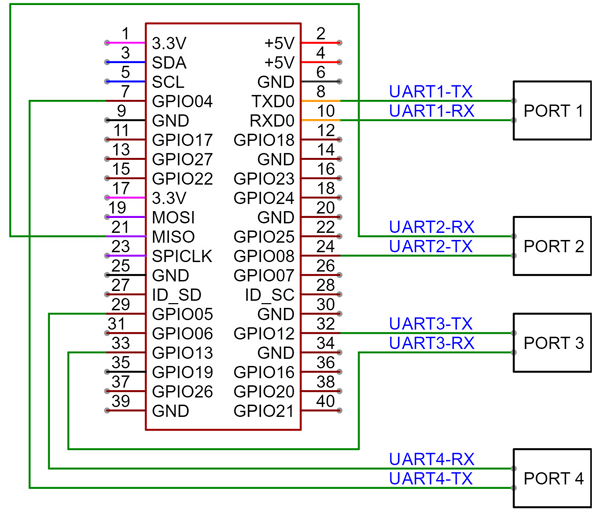
| • PORT1 — RS232 or RS485 (DIP selectable) | • UART1, GPIO pins 8, 10 — /dev/ttyAMA0
|
|
| • PORT2 — RS232 or RS485 (DIP selectable) | • UART2, GPIO pins 21, 24 — /dev/ttyAMA3
|
|
| • PORT3 — RS232 or RS485 (DIP selectable) | • UART3, GPIO pins 32, 33 — /dev/ttyAMA4
|
|
| • PORT4 — RS232 or RS485 (DIP selectable) | • UART4, GPIO pins 7, 29 — /dev/ttyAMA2
|
|
| Other Features | ||
| • Per-port RS485 termination resistor via DIP switch — no jumpers required | ||
| • Extra-tall 2×20 connector — stackable under or on top of any HAT | ||
| • No additional software required — Linux kernel drivers · One card per Raspberry Pi | ||
| • Compatible with all Raspberry Pi models (Zero through RPi 5); older models support PORT4 only | • ECCN Code EAR99 | |
DESCRIPTION
The latest Raspberry Pi models support up to four UART interfaces on the GPIO connector, but these signals require an external physical-layer transceiver for practical serial communication.
The Four Serial Ports Card is the perfect solution for connecting your Raspberry Pi to serial devices like sensors and industrial equipment. It supports RS485 and RS232 communication protocols, making it versatile for a wide range of applications. Version 2 allows each of the four ports to be individually selected as RS485 or RS232, with on-board terminators available for each RS485 port selection.
RS485 Ports: Max 921,600 bps
RS232 Ports: Max 230,400 bps
To enable all the ports on Raspberry Pi 4 & 5, edit config.txt (located in /boot or /boot/firmware, depending on your Linux version) so the UART section reads:[all]enable_uart=1dtoverlay=uart5dtoverlay=uart4dtoverlay=uart3dtoverlay=uart2
Save the file and restart the Raspberry Pi to activate the new settings. Verify port activation with ls /dev, which lists all active ports.
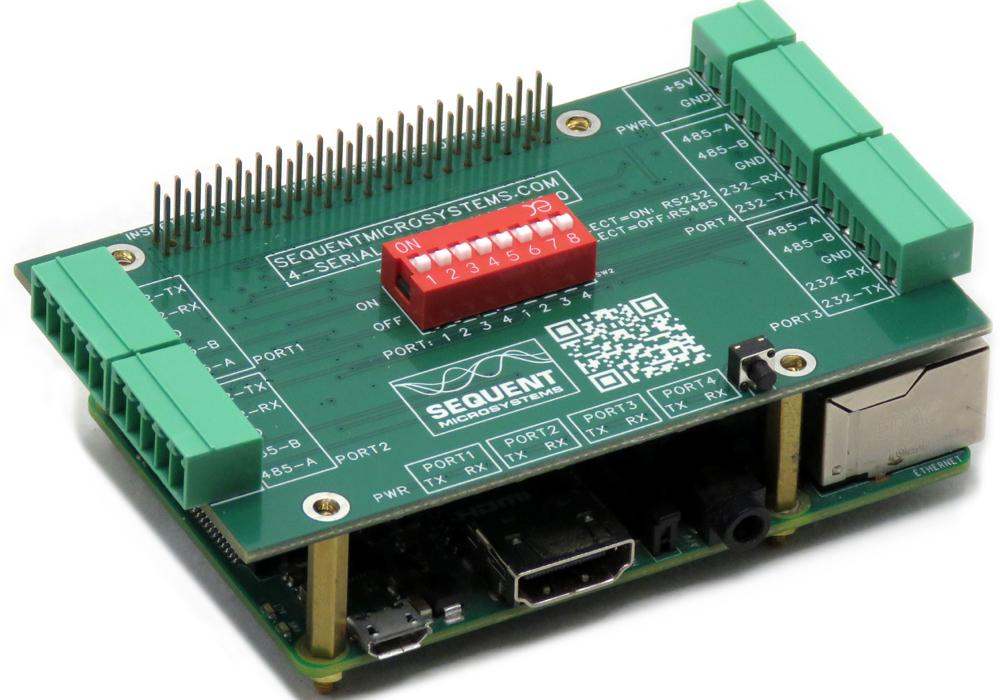
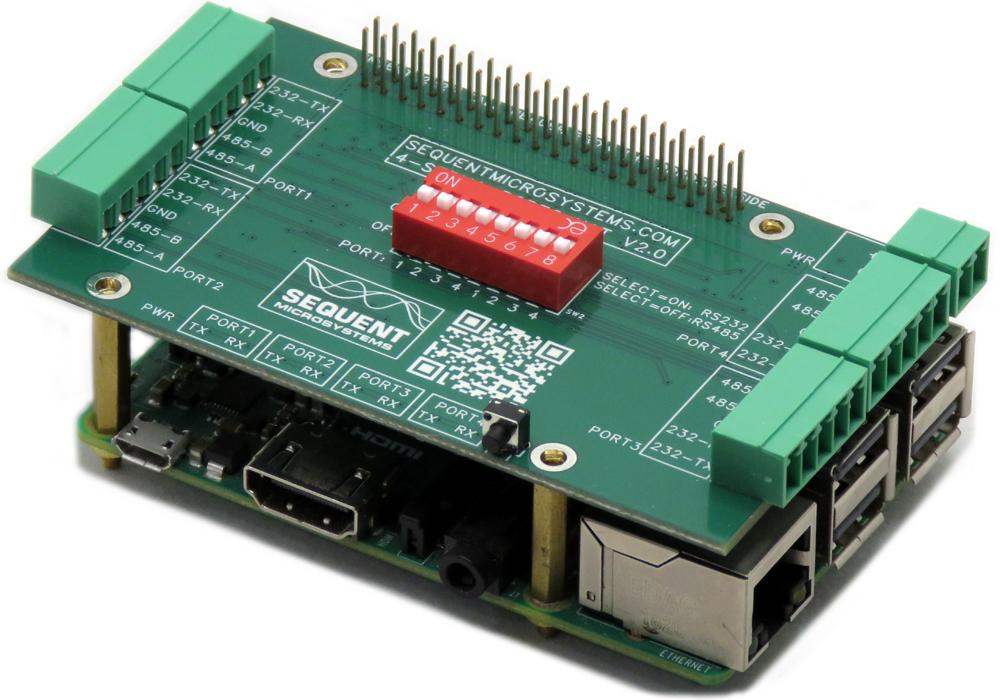
Since the card uses the Raspberry Pi's native UART ports, only one card can be installed per Raspberry Pi. The card is equipped with an extra-tall 2×20 male-female connector and can be installed on top of any stackable HAT. Any Raspberry Pi HAT can also be installed on top of this card.
TECHNICAL DETAILS
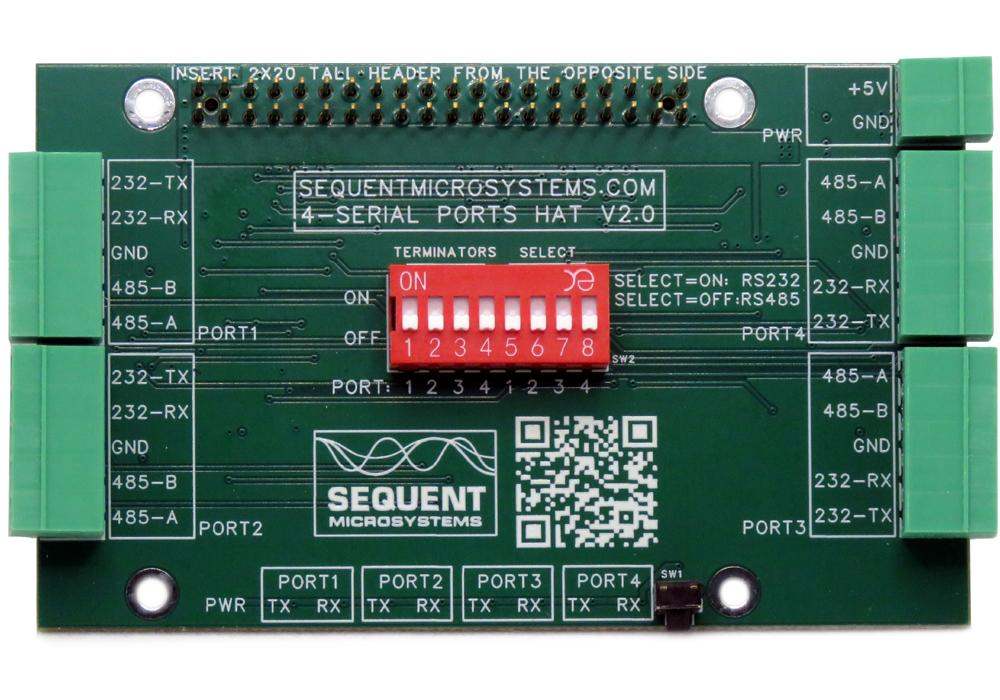
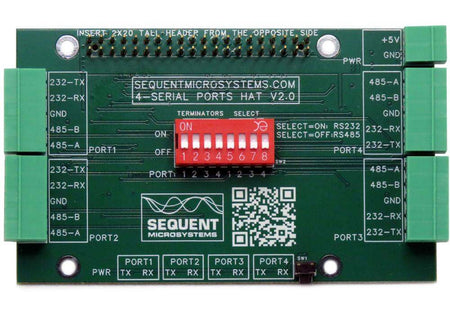
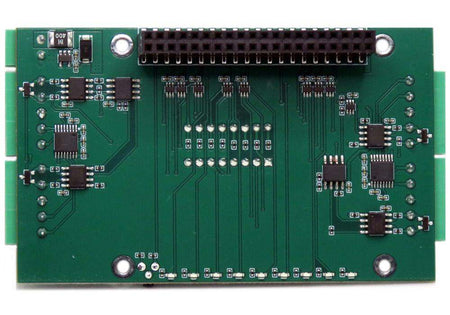
CARD LAYOUT

DIP SWITCH CONFIGURATION
The four positions from the left activate the RS485 terminators, one per port. The next four positions select each port as RS232 or RS485.
MECHANICAL SPECIFICATIONS
The card has the same mechanical specifications as all the Sequent Microsystems cards in the Industrial Automation family.

ELECTRICAL SPECIFICATIONS
| Power | |
|---|---|
| Power supply | 5V from Raspberry Pi GPIO connector |
| Power consumption | Less than 40 mA @ 5V |
| RS485 Ports | |
|---|---|
| Maximum baud rate | 921,600 bps |
| RS232 Ports | |
|---|---|
| Maximum baud rate | 230,400 bps |
POWER REQUIREMENTS
Power supply: The card takes 5V and less than 40mA of power directly from the Raspberry Pi GPIO connector — no separate power supply is required.
COMPATIBILITY
| Interface | Direct GPIO UART — no I2C |
| GPIO used | GPIO 8, 10 (UART1); GPIO 21, 24 (UART2); GPIO 32, 33 (UART3); GPIO 7, 29 (UART4) |
| Max stack | One card per Raspberry Pi (uses the Raspberry Pi's native UART ports); any other stackable HAT can be installed above or below it |
| Compatible with | Raspberry Pi versions 4 and 5 (all four ports); older Raspberry Pi models do not expose all four serial ports on the GPIO connector and can use only PORT4 |
DOWNLOADS
| User's Guide | Schematics | CAD | Software & Integrations |
|---|---|---|---|
| User's Guide V2 | Schematic V2 | 3D STEP Model V2 | |
| User's Guide V1 | Schematic V1 | 3D STEP Model V1 |
WHAT'S INCLUDED
When you purchase the card you will receive the following items:
| 1. Four Serial Ports HAT for Raspberry Pi |
|---|
 |
| 2. Mounting Hardware | |
|---|---|
 |
|
| 3. Connector Plugs | |
|---|---|
 |
|
QUICK START
- Plug your card on top of your Raspberry Pi and power up the system.
- Set the DIP switches for each port's RS232/RS485 mode, and enable the matching RS485 terminator if the card is the last device on an RS485 chain.
- Edit
/boot/config.txt(or/boot/firmware/config.txton newer Raspbians), setting the UART section to:[all]enable_uart=1dtoverlay=uart5dtoverlay=uart4dtoverlay=uart3dtoverlay=uart2 - Save the file and reboot the Raspberry Pi to activate the new settings.
- Run
ls /devto confirm that/dev/ttyAMA0,/dev/ttyAMA2,/dev/ttyAMA3, and/dev/ttyAMA4are present and active.
No additional software is required — all drivers are included in the Linux kernel.
Expand Your System
-
 In stock
DIN-RAIL Kit Type2 Perpendicular Mount for Raspberry Pi
Install Raspberry Pi and any number of HATs perpendicular to the DIN-Rail; One kit for up to 5 HATs. -
 In stock
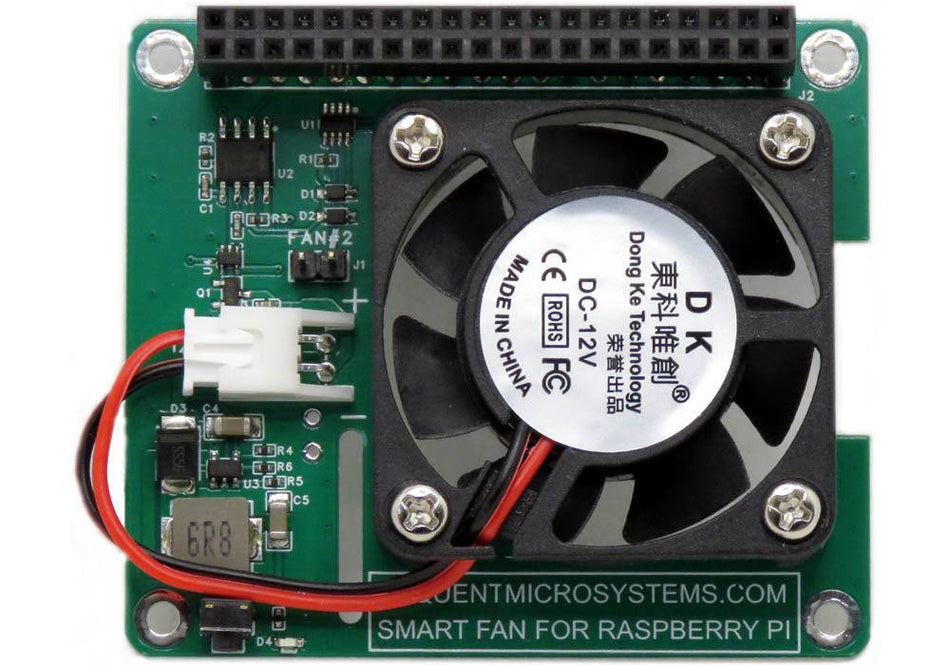
Smart Fan HAT the Best Cooling Solution for Raspberry Pi
PWM controlled 40x40x10mm Fan keeps Raspberry Pi temperature constant; Stackable with any other HAT. -
 In stock
DIN-RAIL Kit Type1 Parallel Mount for Raspberry Pi
Install Raspberry Pi and multiple HATs parallel on the DIN-Rail; 90% rotation; Raspberry Pi 1 to 5. -
 In stock
Super Watchdog HAT with UPS Battery Backup for Raspberry Pi
Industrial-grade watchdog and UPS backup to keep your Raspberry Pi running safely.


