




Smart Fan HAT the Best Cooling Solution for Raspberry Pi
PWM controlled 40x40x10mm Fan keeps Raspberry Pi temperature constant; Stackable with any other HAT.
Overview
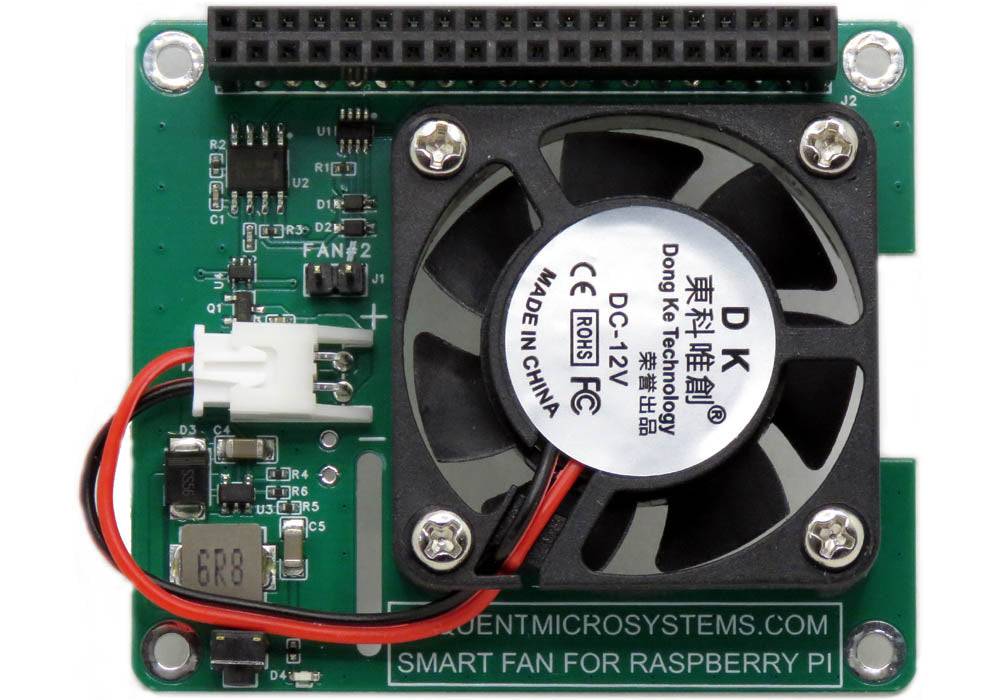
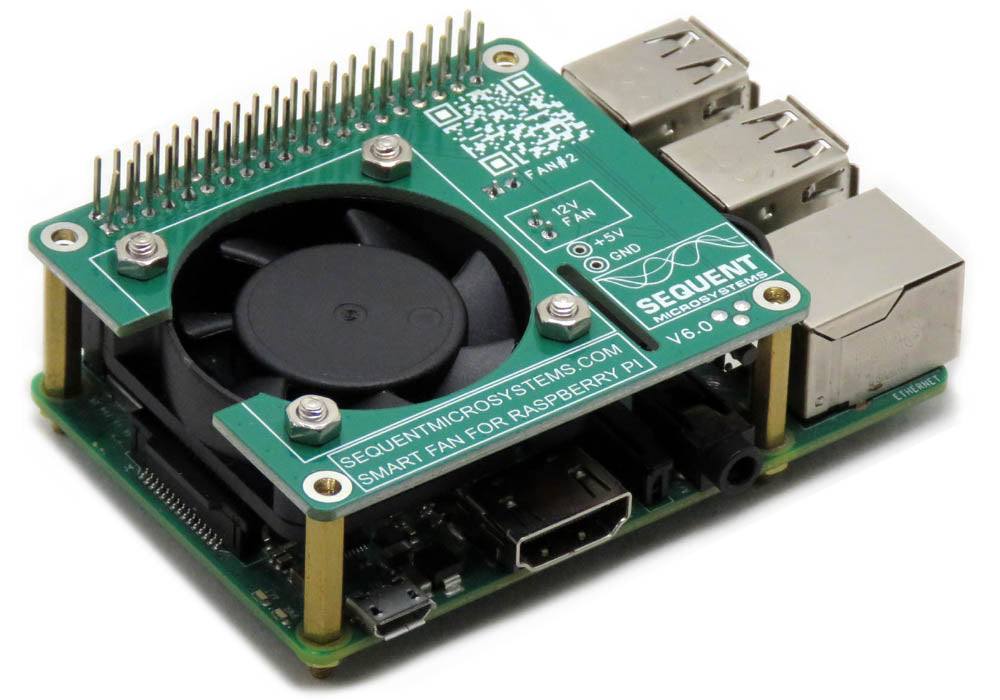
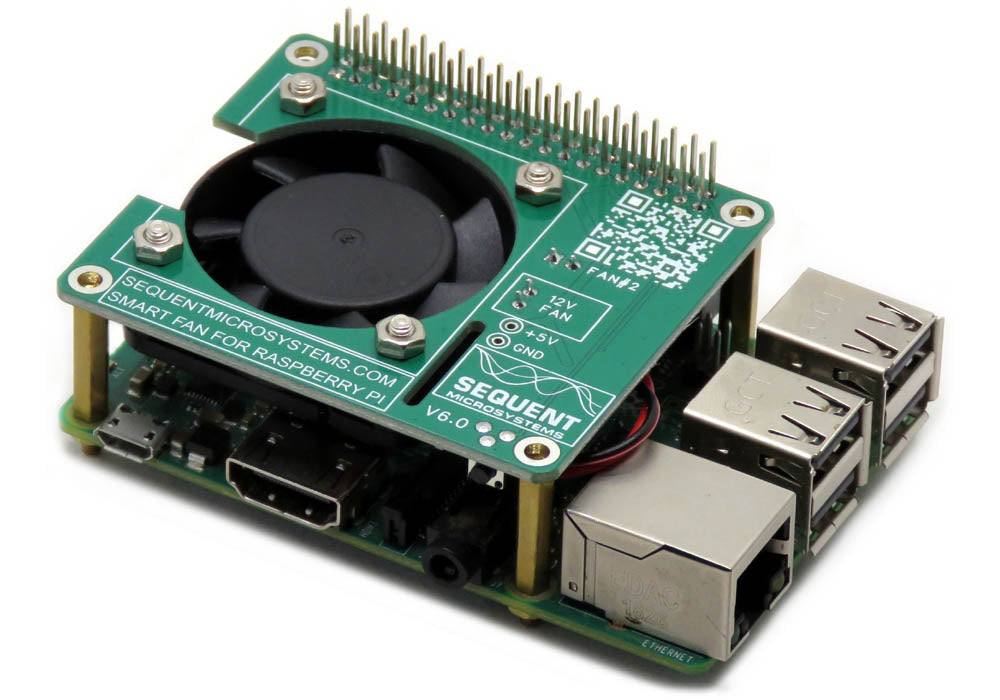
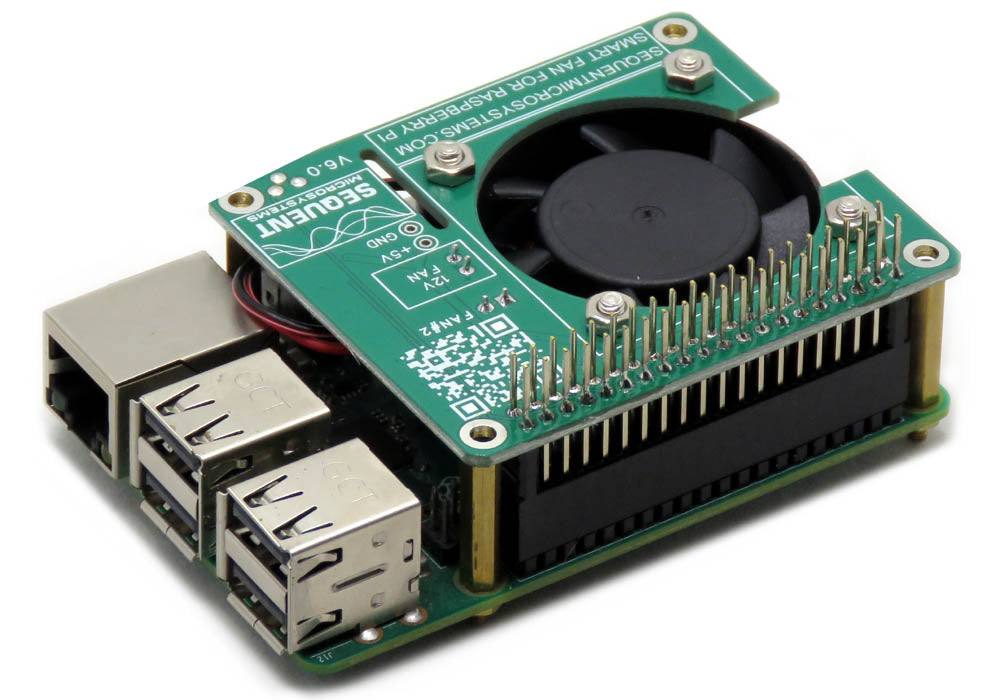
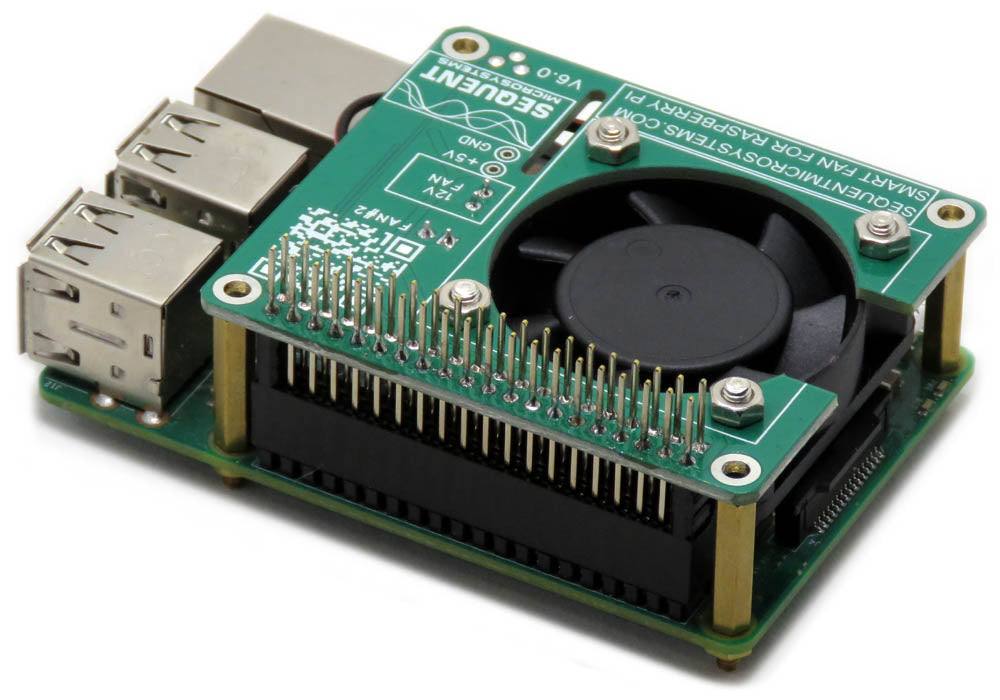
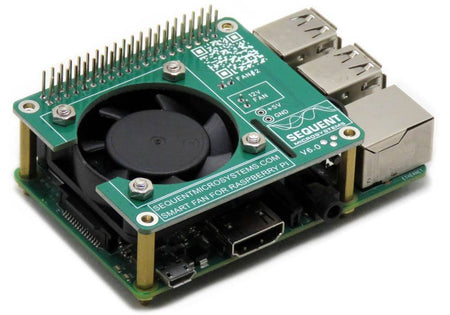
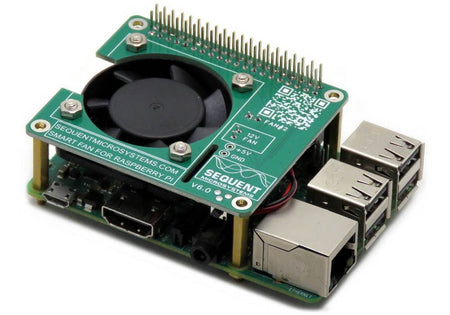
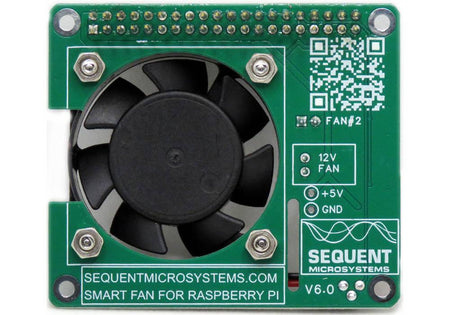
The Smart Fan HAT is a compact, stackable cooling solution for Raspberry Pi. An onboard processor drives a PWM-controlled fan through the I2C bus, keeping the Raspberry Pi processor at a constant temperature without blocking a single GPIO pin.
- 40x40x10mm fan with 6 CFM airflow
- Step-up 12V power supply for precise fan speed control
- PWM controller modulates the fan to keep a constant Pi temperature
- Draws less than 100mA of power
- Stackable to itself — 2 fans can be added to Raspberry Pi
- Fully stackable, allows adding other Sequent HATs to Raspberry Pi
- Uses only the I2C interface, leaves full use of all GPIO pins
- Works with any Raspberry Pi from Zero to 5
- Ambient operating temperature: -40°C to 85°C
- ECCN Code EAR99
- CE Certified for EU applications
Works with Open Automation Software
Compatible with widely used tools for control, monitoring, and system integration.
 |
 |
 |
 |
INTERFACES AND I/O
| I/O's | Communication | Software Integration |
|---|---|---|
| • One PWM-Controlled Fan Output | • I2C Port to Raspberry Pi | • Command Line |
| • Onboard Status LED | • Python Library | |
| • Node-RED node | ||
| • Home Assistant | ||
| Other Features | ||
| • Stackable to itself — 2 fans can be added to Raspberry Pi | ||
| • Fully stackable, allows adding other Sequent HATs to Raspberry Pi | ||
| • Uses only the I2C interface, leaves full use of all GPIO pins (Ver. 6.0 also uses GPIO 12) | ||
| • Works with any Raspberry Pi from Zero to 5 | ||
| • Ambient operating temperature: -40°C to 85°C | ||
| • ECCN Code EAR99 - no export restrictions | ||
| • CE Certified for European applications | ||
DESCRIPTION
Raspberry Pi four was welcomed by the Pi enthusiasts for the increased processing power. However, this came at a price. The Pi 4 can draw up to 3 Amps, which means it has to dissipate 15 watts of power. Raspberry Pi cooling is a must.
From the simplest passive heat sink, through elaborate fan blowers and even to an exotic water-cooled idea, many options are available.


While lacking no imagination, all have a common denominator: it is almost impossible to plug an add on card into the GPIO expansion header. The Smart Fan HAT is the most elegant, compact and inexpensive cooling solution for your Raspberry Pi.

The card has the form factor of the Raspberry Pi HAT. Its own tiny 32-bit processor receives commands from Raspberry Pi through the I2C interface.
A step-up power supply converts the 5 Volts provided by Raspberry Pi to 12 Volts, ensuring precise fan speed control.
Using pulse width modulation, the card powers the fan just enough to maintain a constant temperature of the Raspberry Pi processor.
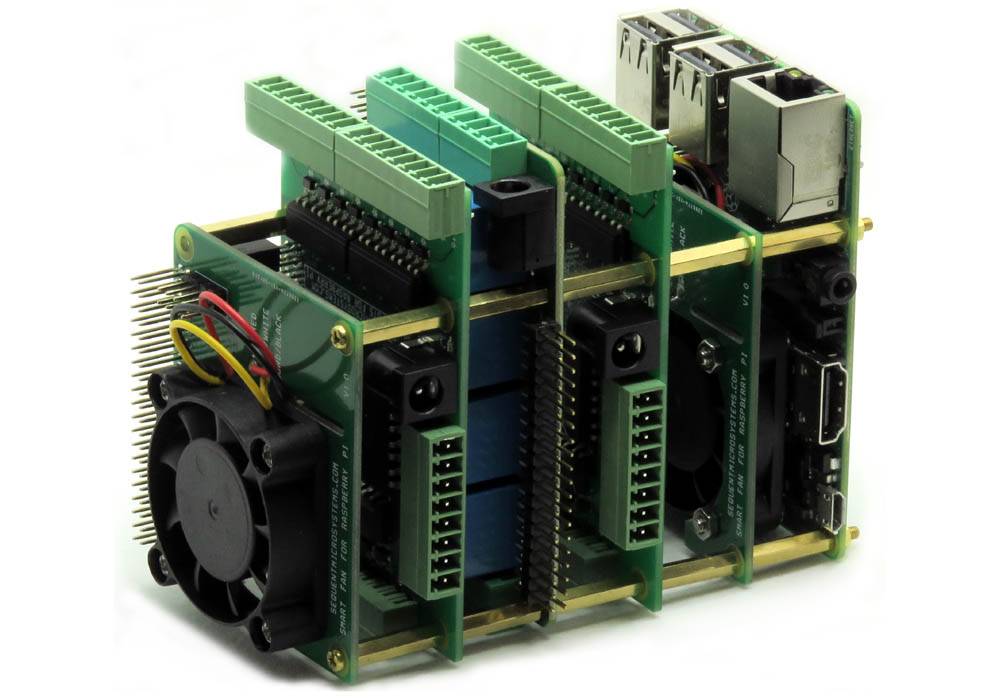
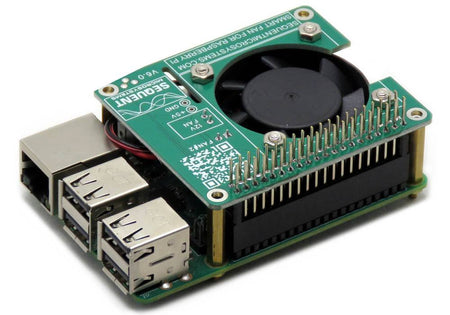
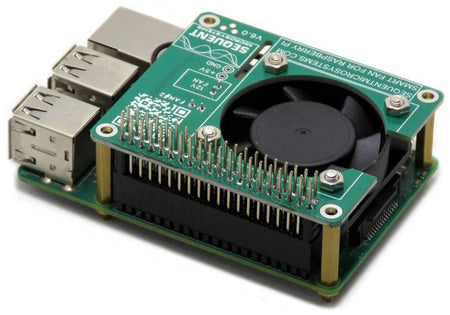
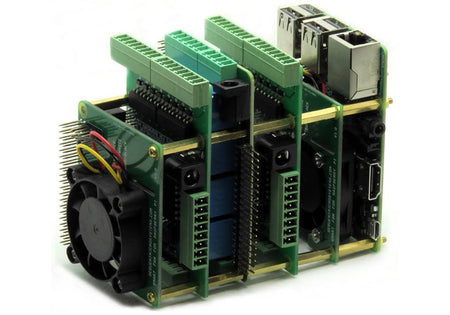
The card preserves all the GPIO pins, allowing any number of cards to be stacked on top of Raspberry Pi. If another add-on card has to dissipate power, a secondary Fan can be added to the stack.
Together with multiple add-on cards, the Fan can be installed on the DIN-Rail, for sturdy industrial applications.
TECHNICAL DETAILS
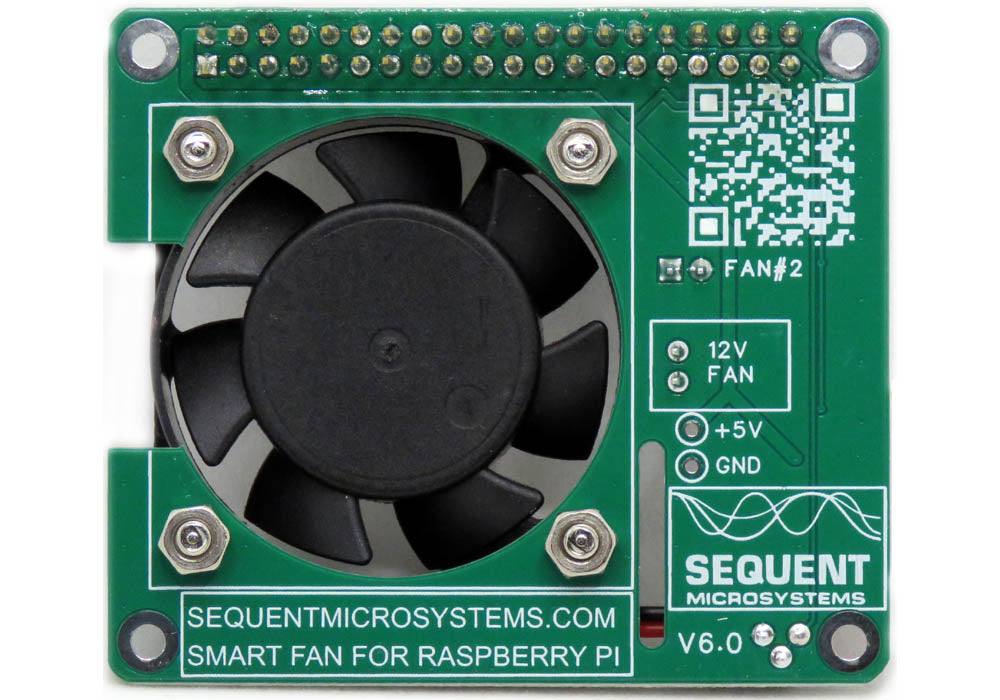
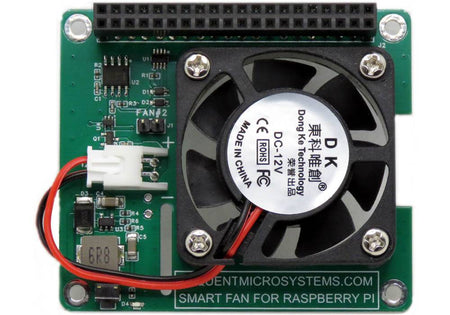
CARD LAYOUT

JUMPER AND STACKING
Two HATs can be installed on top of each Raspberry Pi. The assumption is that you have one more card in the stack which requires cooling. The bottom side of the Fan has a jumper which needs to be installed on the second fan, in order for the Raspberry Pi to differentiate the two I2C addresses.
ELECTRICAL SPECIFICATIONS
| Power | |
|---|---|
| Power supply | 5V from Raspberry Pi GPIO header, stepped up to 12V onboard |
| Power consumption | Less than 100 mA |
| Fan | |
|---|---|
| Dimensions | 40 x 40 x 10 mm |
| Airflow | 6 CFM |
| Ambient operating temperature | -40°C to 85°C |
POWER REQUIREMENTS
Power supply: The Smart Fan HAT is powered directly from the Raspberry Pi 5V rail over the GPIO header — no separate power connector or external supply is needed. Operating current is less than 100mA.
FAN SPEED CONTROL
Since the HAT is slave to the I2C interface, Raspberry Pi must tell it what to do. Command line and Python functions are available to control the fan speed. Raspberry Pi needs to monitor the processor temperature and control the fan speed accordingly. A PID loop sample program can be downloaded from GitHub. In case of malfunction, if the temperature exceeds a safe limit, Raspberry Pi must shut itself off to prevent burnout.
The Fan can be controlled from any program using simple command line or Python functions. A Node-RED interface lets you set and monitor the temperature from the browser. The software can maintain the temperature history in a log file which can be plotted in Excel — an example loop can be found on GitHub.
SELF TEST
The Fan has a LED controlled by the local processor. At power up, the processor powers up the fan for 1 second, so the user can make sure the system is functional. The onboard LED shows the status of the fan. When the fan is off, the LED blinks 1 time per second. When the fan is turned on, the LED blinks between 2 to 10 times per second, proportional with the speed of the fan.
COMMUNICATION INTERFACES
COMPATIBILITY
| Interface | I2C |
| GPIO used | GPIO2 (SDA), GPIO3 (SCL) — Ver. 6.0 also uses GPIO12; all remaining GPIO pins stay free |
| Max stack | 2 fans (jumper-selected addresses); freely mixable with other Sequent HATs |
| Compatible with | All Raspberry Pi versions from Zero to 5 |
ERRATA
The last release of the Fan is missing the slot cutout for the camera. This has been a factory mishap which we missed on the prototype run. Everything else is functional.
DOWNLOADS
| User's Guide (PDF) | Schematics (PDF) | CAD | Software & Integrations |
|---|---|---|---|
| User's Guide | Schematic V2 | 2D CAD Drawing | Command Line |
| Schematic V4 | 3D STEP Model | Python Libraries | |
| Schematic V5 | Node-RED Nodes | ||
| Home Assistant |
COMPLIANCE
RoHS and REACH Compliance Declaration
PRESS
- This Raspberry Pi Smart Fan HAT is Stackable and GPIO Friendly
- Raspberry Pi Smart Fan cooler hits Kickstarter
- Smart Fan HAT cools the Pi and passes the GPIO
- Sequent Microsystems Opens Funding for the Smart Fan, a Clever Cooling Card for the Raspberry Pi
- Raspberry Pi Smart Fan cooler hits Kickstarter
WHAT'S INCLUDED
When you purchase the card you will receive the following items:
| 1. Smart Fan HAT |
|---|
 |
| 2. 40x40x10mm Fan with Mounting Screws |
|---|
 |
| 3. Mounting Hardware |
|---|
 |
Since the fan can be installed either on the top or on the bottom of the card, it comes unassembled. If you plan to use the Fan to cool the Raspberry Pi, we recommend installing it on the bottom. To cool any other add-on card, install it on the top. All mounting hardware for installing the fan on the card, and the card on Raspberry Pi, is included.
QUICK START
- Plug your Smart Fan HAT on top of your Raspberry Pi and power up the system.
- Enable I2C communication on Raspberry Pi using
raspi-config. - Install the Fan software from GitHub:
~$ git clone https://github.com/SequentMicrosystems/SmartFan-rpi.git~$ cd /home/pi/SmartFan-rpi~/SmartFan-rpi$ sudo make install~/SmartFan-rpi$ fan
The program will respond with a list of available commands. To read more about the cli, please refer to the README file. If you would rather use a different platform, you can access the same functionality through dedicated, ready-to-use integrations in the Downloads tab above.
Expand Your System
-
 In stock
DIN-RAIL Kit Type2 Perpendicular Mount for Raspberry Pi
Install Raspberry Pi and any number of HATs perpendicular to the DIN-Rail; One kit for up to 5 HATs. -
 In stock
DIN-RAIL Kit Type1 Parallel Mount for Raspberry Pi
Install Raspberry Pi and multiple HATs parallel on the DIN-Rail; 90% rotation; Raspberry Pi 1 to 5. -
 In stock
Super Watchdog HAT with UPS Battery Backup for Raspberry Pi
Industrial-grade watchdog and UPS backup to keep your Raspberry Pi running safely. -
Sale
 In stock
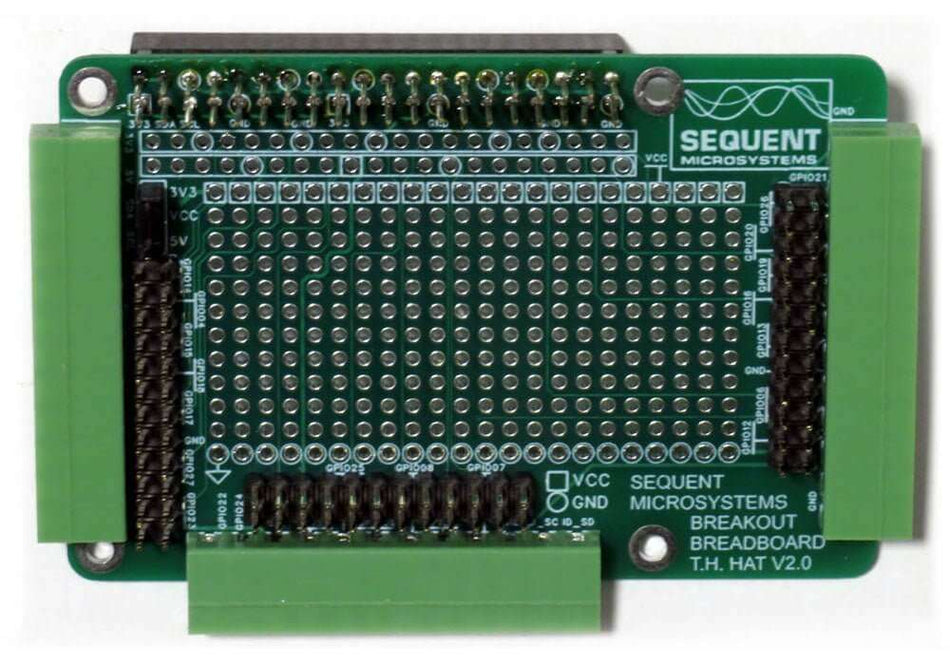
Breakout Card Kit Pluggable-Prototype-Breadboard SM/TH for Raspberry Pi
Routes all 40 GPIO pins to pluggable terminal blocks; Main card for Through Hole, two add-on cards for Surface Mount DIY projects.


